Music machine
Read more
The Challenge
Create a music machine!
Solution
I integrating an Arduino-based control interface with a processing-based sound system creating a dum kit.
02. Design challenge
How might I design an interactive music-making system that seamlessly integrates physical hardware and software?
03. Understanding currents
The final outcome
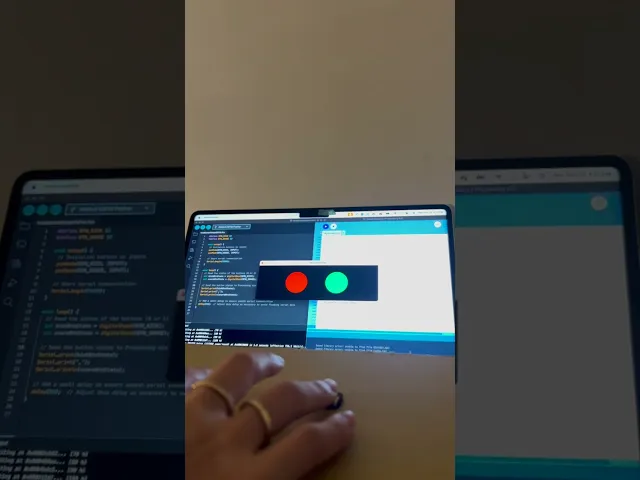
I coded two drums: the snare is in red, and the kick drum is in green. I also created a visualizer effect with floating circles around the canvas at the beginning of the sound. As the musician plays, the two circles expand when the drums are being pressed.
04. Converting data
Arduino code
I wrote this code to create a simple way of reading and sending the status of two buttons—one for a kick and one for a snare—using an Arduino. The goal was to design a basic input system where pressing the buttons would send a signal to a computer, allowing me to use the button states in a program like Processing. By checking whether each button is pressed or not, and sending that information over serial communication, I can create a drum pad-like interface that can easily be expanded or integrated into other projects. The small delay ensures smooth data transfer without overwhelming the system with too much information at once.
05. C++
Open processing code
I coded this to create a simple way to interact with physical buttons and send their status to a computer. The goal was to design a basic input system where pressing the buttons could trigger actions in a program like Processing. By using the Arduino to read the button states and send them via serial communication, I can integrate simple physical controls into digital projects, such as building a DIY drum pad or interactive interface. The small delay between readings ensures the data is sent smoothly, without overloading the system, making it easy to expand and refine the project as needed.
03. p5.js
The hardware
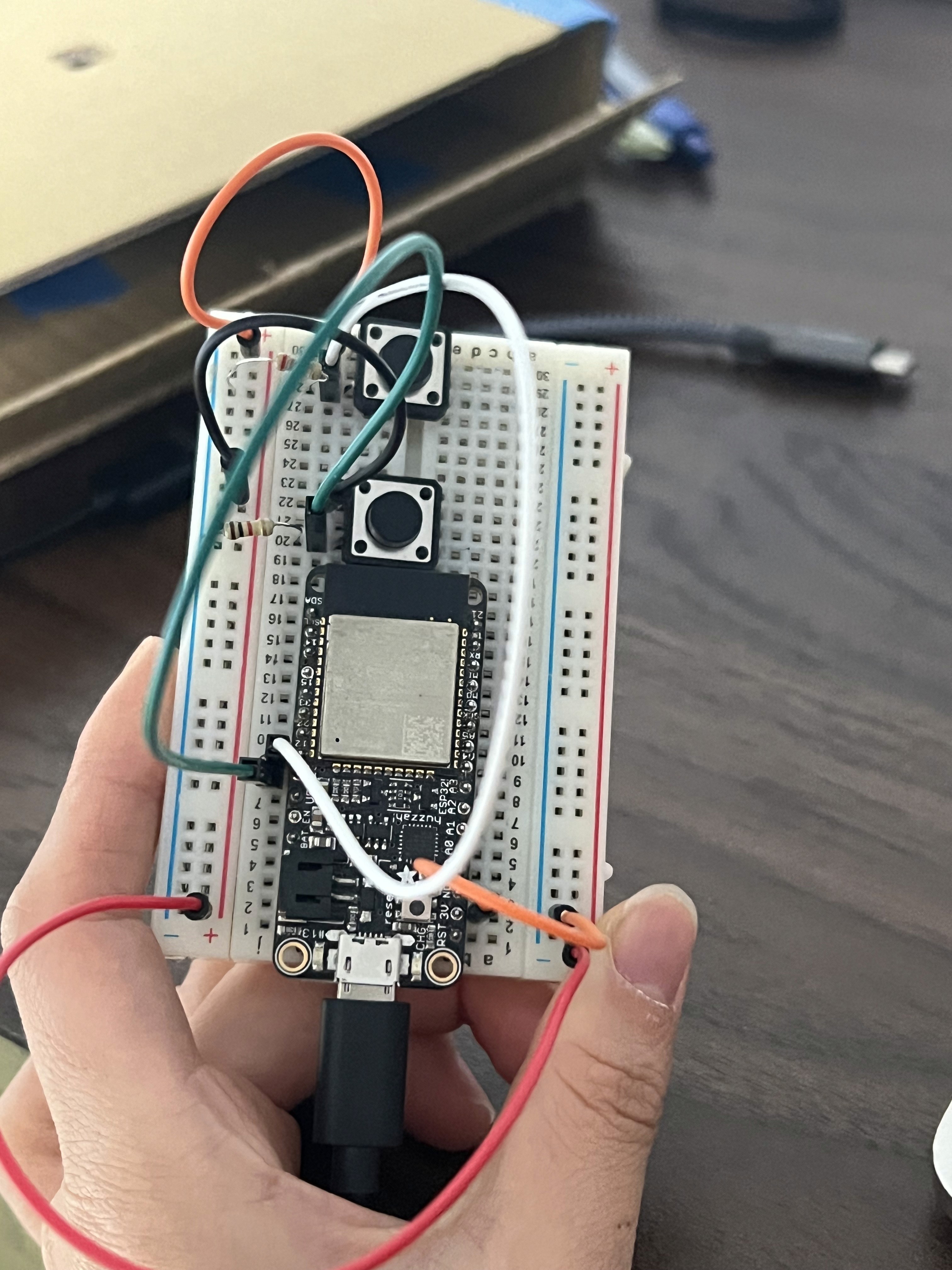
The resistor is connected to the button to complete the circuit. When the button is not being pressed, there is still a connection to the ground through the resistor. Buttons are bridging gap on the breadboard. One leg of the button is connected to a digital pin on the Arduino, and the other leg is connected to the power.
